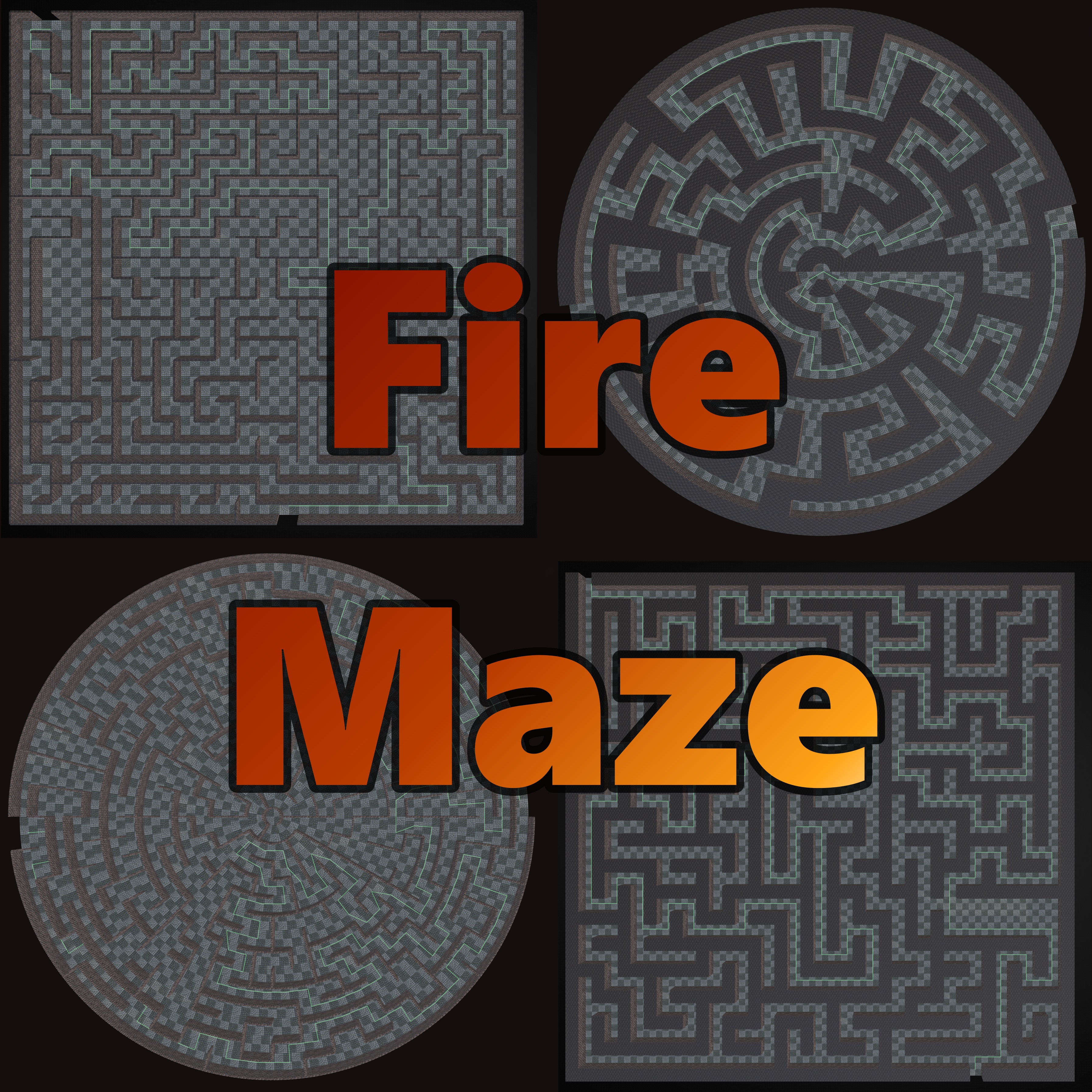
What is FireMaze?
FireMaze is a fully open-source Blender extension built around the FireRat sidebar tab. It generates perfect tile-based mazes (exactly one path between any two points) using a range of classic algorithms, then gives you the tools to shape, decorate, and polish them: interactive viewport painting, custom tile collections, image masks, shape boundaries, multilevel staircases, vertex painting, prop spawning, and full session save/load to disk.
Features
Rectangular & Polar Grids
Standard width × depth layouts or radial circular mazes with concentric rings and wedge-shaped cells. Polar grids support three custom tile alignment modes including organic vertex warping.
10 Generation Algorithms
Depth-First Search, Kruskal's, Eller's, Binary Tree, Prim's, Hunt-and-Kill, Sidewinder, Wilson's, Recursive Division, and Growing Tree — each with tunable bias parameters for custom corridor flow.
Thin & Cube Wall Modes
Classic dungeon-style thin wall segments with adjustable thickness, or full tile-sized cube pillars. Optionally stack walls in tile-height increments for consistent UVs.
Interactive Viewport Editor
Paint walls directly in the 3D viewport. Left-click toggles walls, Shift+click cycles custom meshes per face, and a stair tool places staircases on multilevel mazes — all rebuilt in real time.
Real-Time Guide Paths
Display the BFS shortest route as a neon emissive curve, tube, or ribbon. Optional sine-wave animation makes the guide path float and pulse through your maze.
Custom Tiles & Collections
Replace floors, walls, roofs, stairs, and ramps with your own meshes or randomly distributed collections. Swap individual faces per cell direction while editing.
Shape Boundaries & Image Masking
Mold mazes into diamond, triangle, or hexagon silhouettes with smooth clipped edges — or drive the layout from any black-and-white image mask (logos, text, custom shapes).
Multilevel Mazes & Stairs
Stack up to 20 floors with spiral, straight, or U-turn staircases — or smooth ramps. Physical floor thickness adds slab depth between levels with dedicated material slots.
Vertex Painting
Four procedural paint modes: ambient occlusion, texture blend weights (moss, cracks, wetness, soot), path highlighting, and distance gradients — perfect for game engine blending.
Prop & Decor Spawner
Automatically place torches on walls, chests in dead-ends, and doors at entrances and exits. Density controls and deterministic seeding keep placements stable.
Session Save / Load
Export complete mazes to .json session files, restore them in any .blend, and recover from crashes automatically. Export layouts as PNG minimaps.
Post-Processing & Colliders
Merge objects, weld doubles, generate lightmap UVs, dissolve planar faces, and produce simple game-ready collider meshes for floor, walls, and roof.
Quick Start
- Install the extension — see the Installation section below.
- Open the 3D Viewport, press N to open the sidebar, and select the FireRat tab.
- In the Maze Settings panel, pick a Grid Type (Rectangular or Polar), set Width/Depth or Rings, and choose a Wall Mode (Thin or Cube).
- Click Generate Maze. The default Depth-First Search algorithm works great for a first run.
- (Optional) Click Interactive Edit to paint walls in the viewport. Left-click toggles walls on/off; Shift+left-click cycles the meshes in your custom collection.
Installation
FireMaze is structured as a standard Blender 4.2+ extension.
- Zip the
FireMaze/subdirectory to createFireMaze.zip(or use the pre-packaged ZIP in the repository). - In Blender, navigate to Edit → Preferences → Get Extensions.
- Click the dropdown arrow (▼) in the top-right corner and choose Install from Disk...
- Select
FireMaze.zipand click Install. - Enable the extension. The interface appears in the Sidebar (N key) under the FireRat tab.
Documentation
The complete FireMaze reference — every feature, setting, property, default, and range — is organized into the guides below.
Features & Settings
Wall modes, grid types, all 10 algorithms with bias parameters, rooms, loops, entrances/exits, guide paths, custom tiles, transforms, and the full property quick reference.
Usage & Management
Object categories, material slots, collection structure, session save/load, autosave crash recovery, image export, and scene cleanup.
Interactive Editor
Viewport editing controls, wall toggling per grid type, mesh cycling, stair placement, dirty-cell tracking, and the precision helper mesh.
Vertex Painting & Post-Processing
All 4 vertex paint modes, merge options, lightmap UV generation, planar dissolve, collider generation, and the full pipeline order.
Prop & Decor Spawner
Torch, chest, and door placement rules, density controls, dead-end detection, orientation logic, and sub-collection scoping.
Multilevel Mazes
Floor configuration, stair footprints and styles, ramp geometry, floor thickness material slots, and level-targeted editing.
Shape Boundaries & Image Masking
Diamond, triangle, and hexagon silhouettes with rotation and smooth edges, plus the black-and-white image mask workflow.
Polar (Circular) Grids
Rings, sectors, cell structure, radial bias, the center fan, and all three custom tile alignment modes including vertex warping.
FAQ & Troubleshooting
Common errors and their fixes, performance tips, crash recovery workflow, known limitations, and how to get help.
Support FireMaze
FireMaze is free and open source (GPL-3.0). Issues and feature requests are welcome via the GitHub issue tracker — and if FireMaze helps your project, consider supporting the development.